TL;DR
- Upload your resume, GitHub repos, projects, schoolwork, or PDFs.
- Search for a job and open the best match.
- Generate a tailored cover letter and resume bullet points from your real evidence.
- Export the final draft as a PDF, ready to submit.
Typical time: 15–20 minutes per application.
Who This Tutorial Is For
This is built for students applying to internships, recent graduates applying to entry-level roles, and early-career job seekers who want application materials that reference their actual work instead of generic phrasing. It also fits anyone tired of manually rewriting the same resume and cover letter for every job posting, especially when the underlying experience, projects, and coursework do not change much between applications.
What Is Needed Before Starting
- A current resume, even a rough draft
- GitHub repositories, project PDFs, or schoolwork documents that show real work
- Education details and any relevant work experience
- A free ApplyJobGPT account
- A target role in mind (a job title to search for, such as Software Engineer or Marketing Analyst)
Why This Feature Helps
Writing a cover letter or resume bullets from a blank prompt is slow, and the result usually sounds generic because there is nothing specific feeding into it. Most students default to vague phrasing like "experienced in coding" or "strong communication skills" simply because nothing more specific comes to mind under time pressure.
A second problem sits underneath the first: job descriptions contain details that are easy to miss on a quick read, and a resume or cover letter that does not reflect those details loses ground before anyone reads it carefully.
ApplyJobGPT addresses both problems by checking real evidence first, resume content, GitHub repositories, schoolwork, and project documents, then comparing that evidence against a specific job description before generating anything. The output is built from material that already exists rather than invented from scratch.
This does not remove the need for judgment. Every generated cover letter and resume bullet still needs a careful read-through before it goes into an actual application, to confirm accuracy and to make sure it sounds like the person who is applying.
Step-by-Step: How to Turn Real Evidence Into a Tailored Application
Step 1 — Add Real Evidence First
Before searching for jobs, add the materials that show your real experience.
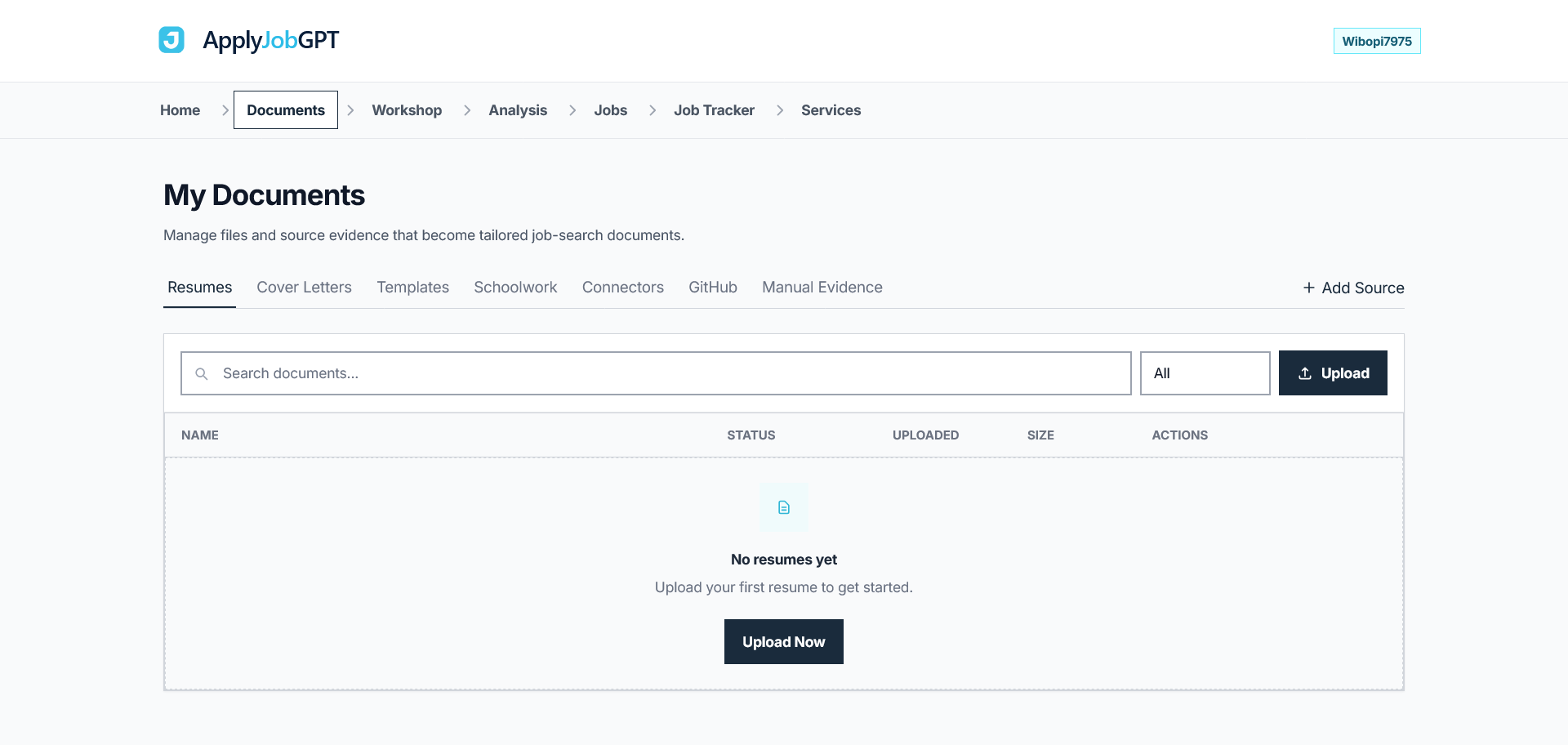
This can include:
- Your resume
- Project PDFs
- Schoolwork or coursework documents
- GitHub repositories
- Personal projects
- Education details
- Work experience
This matters because ApplyJobGPT uses these materials as evidence when creating job-specific application content.
The goal is not to invent experience. The goal is to help you explain the experience you already have in a clearer and more relevant way.
Before moving on, check this:
- A resume has been uploaded
- At least one additional evidence source (GitHub repo, project PDF, or coursework document) has been added
Step 2 — Search Jobs, Review the Match, and Generate Tailored Materials
Goal: Find a specific job, confirm the evidence actually supports it, and generate a cover letter and resume bullets built from that match.
Search for a job
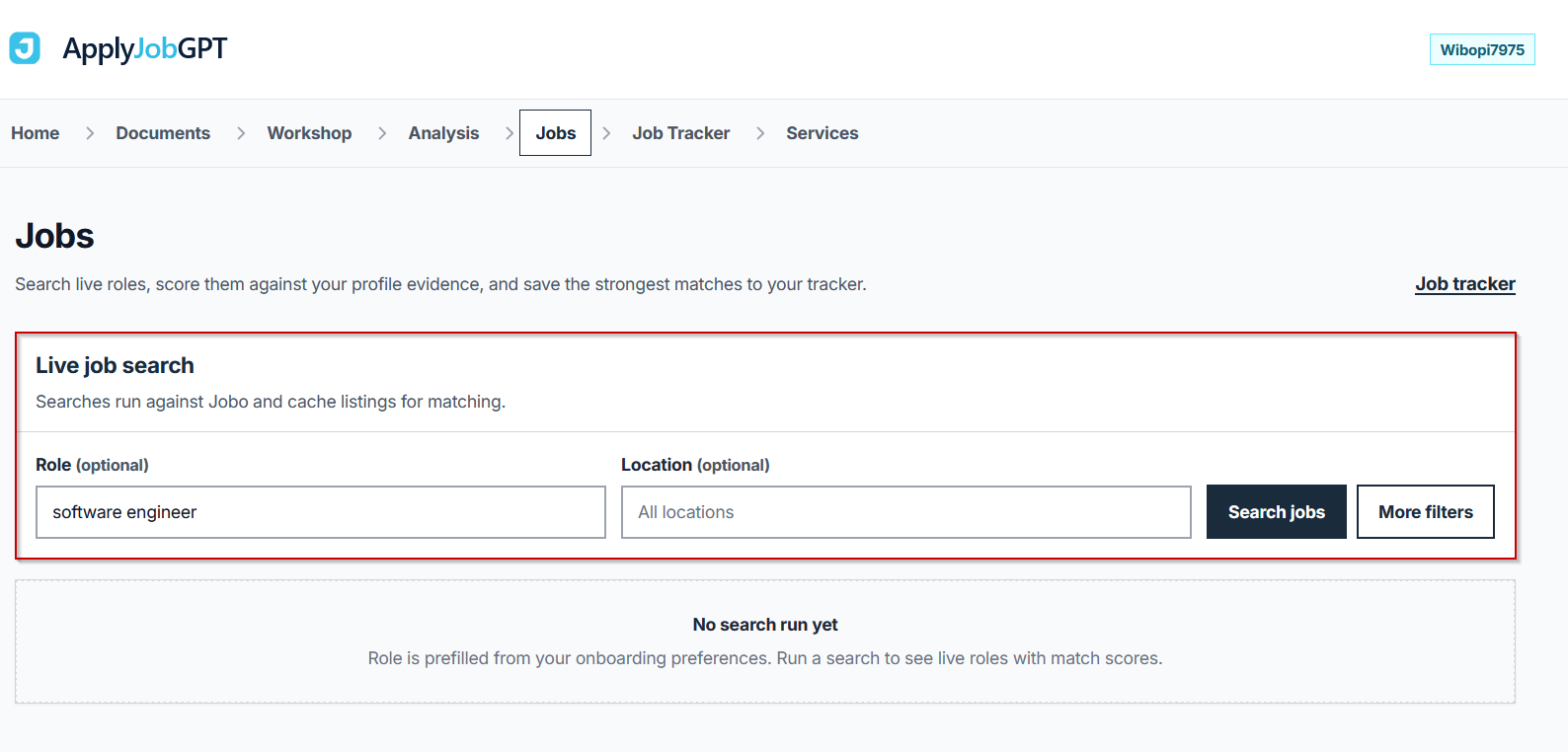
With evidence in place, the Jobs tab is available from the top navigation. Entering a role, such as Software Engineer, and optionally a location, then clicking Search jobs brings up live job listings compared against the uploaded profile.
Review match scores
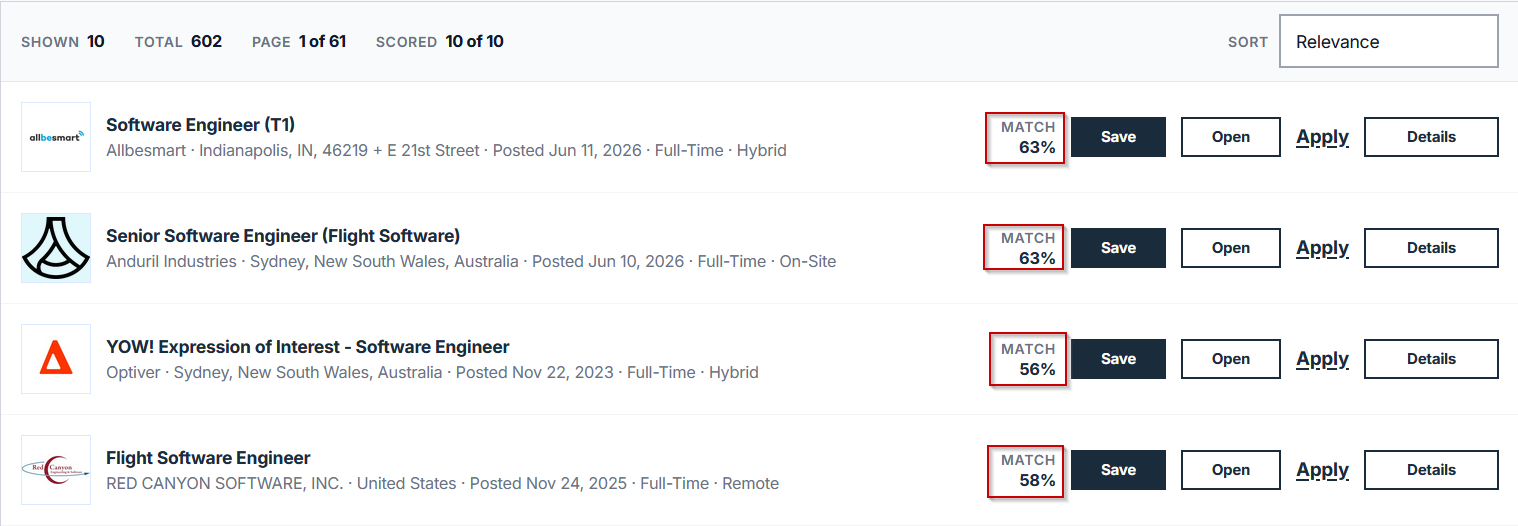
Each job listing shows a match score reflecting how closely it lines up with the resume, GitHub repositories, and other evidence on file. As a general guideline, jobs with a match score of 60% or higher tend to align well enough with existing evidence to produce strong, specific application materials. Jobs scoring well below that threshold are more likely to produce a thinner cover letter, simply because there is less relevant evidence to draw from.
Open the job workspace
Clicking the Open on a specific listing brings up the job workspace, which shows the match score, semantic score, preference score, vector status, matched date, the full job description, and links to the specific pieces of evidence connected to that job. A typical workspace might show a match score around 63%, a semantic score around 69%, a preference score around 16%, a vector status of indexed, and a matched date reflecting when the comparison ran.

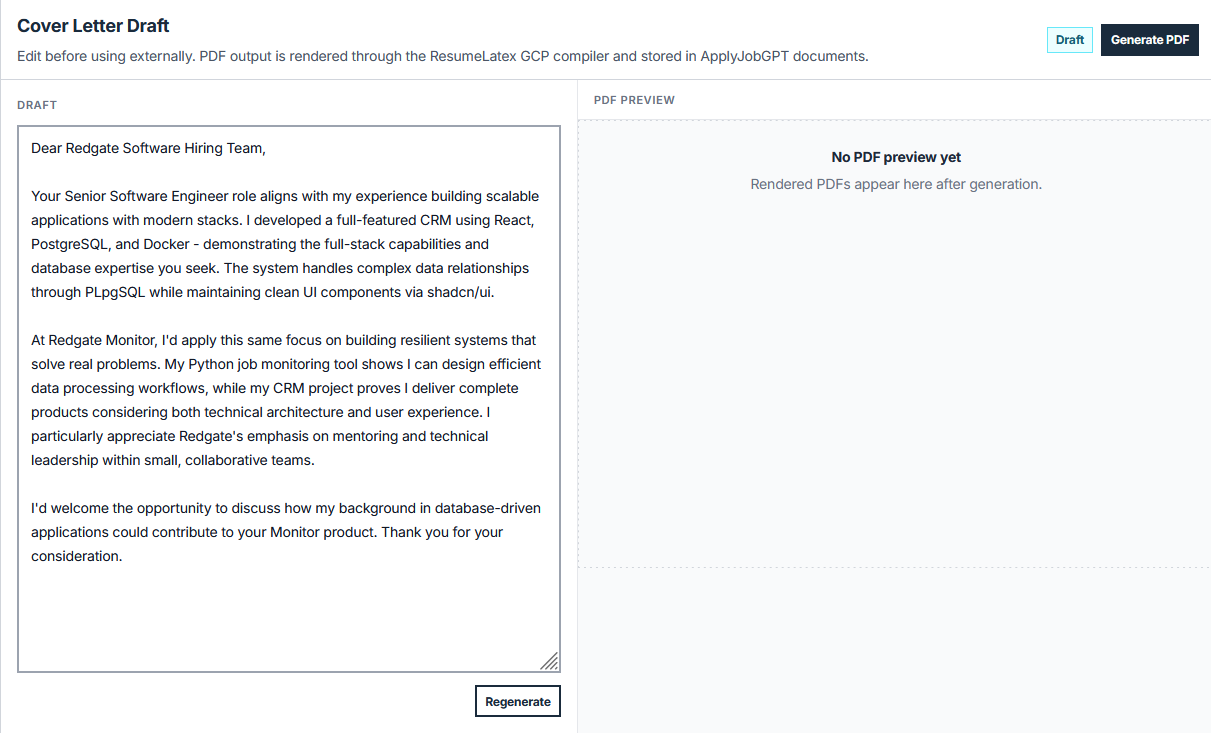
Generate a tailored cover letter
Scrolling to the bottom of the job workspace surfaces the available actions: Generate Cover Letter, Generate Resume Bullet Points, and Report as PDF. Clicking Generate cover letter produces a draft built from the job description and the matched evidence specifically connected to that listing.
For a software engineering role, for example, evidence including a CRM project, a Python automation tool, and relevant technical coursework can be referenced directly and connected to the role's stated requirements, rather than producing a generic paragraph about being a strong fit.
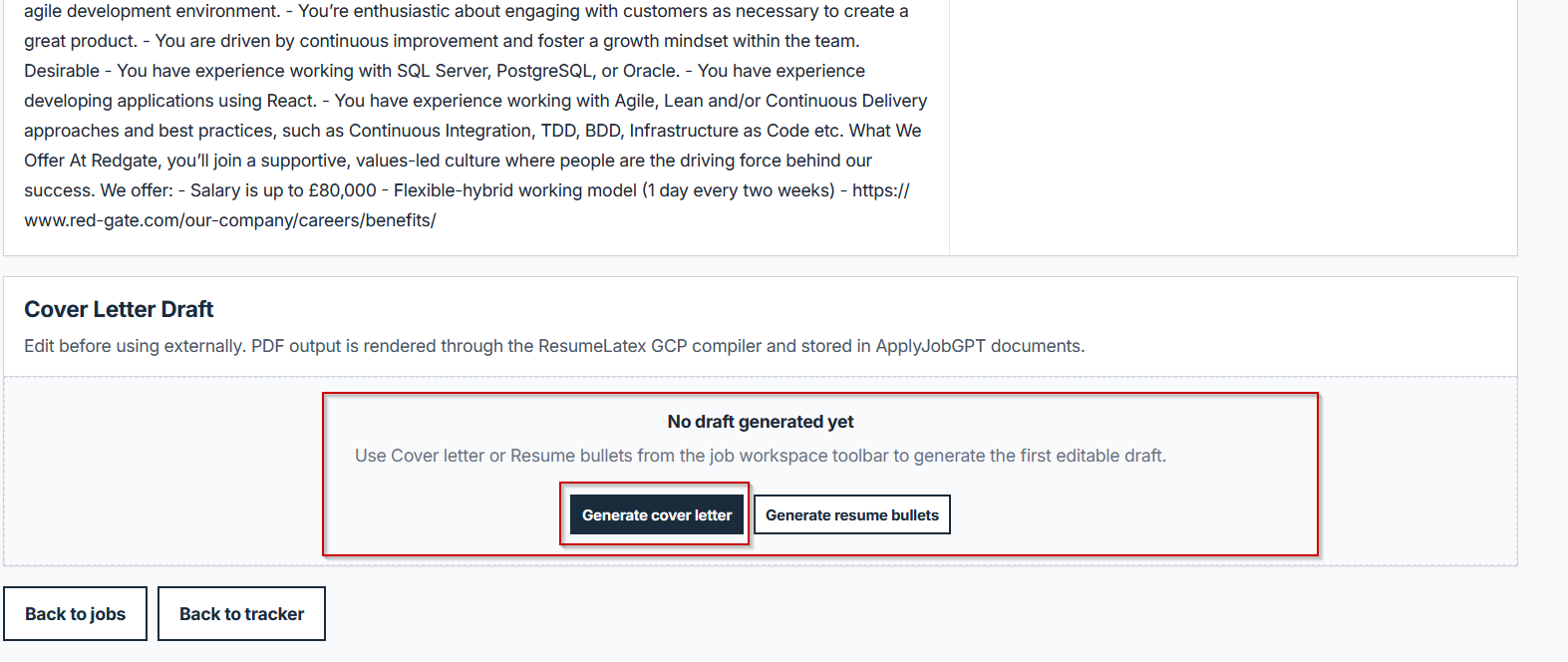
The resulting draft highlights the specific projects, skills, education, and experience that align with that job description, instead of defaulting to a template that could apply to any role.
Here is example :
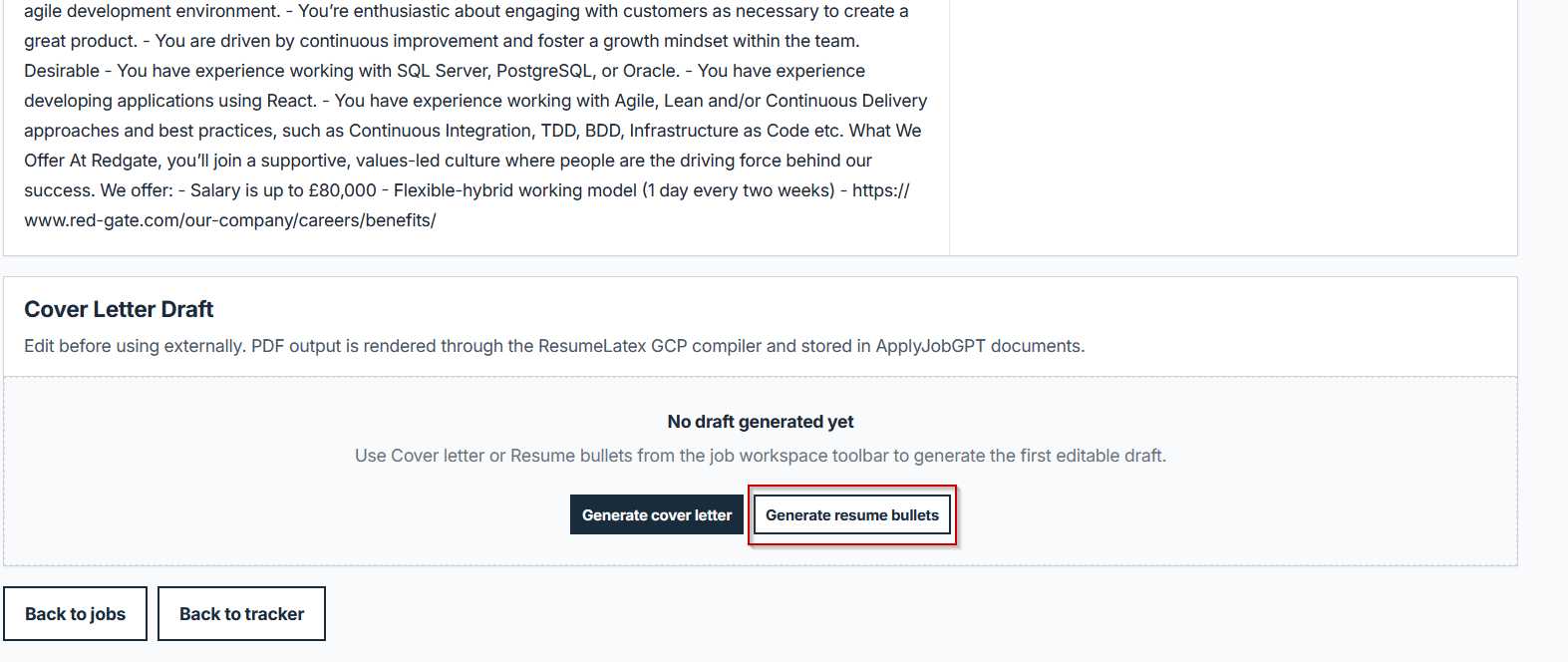
Generate resume bullet points
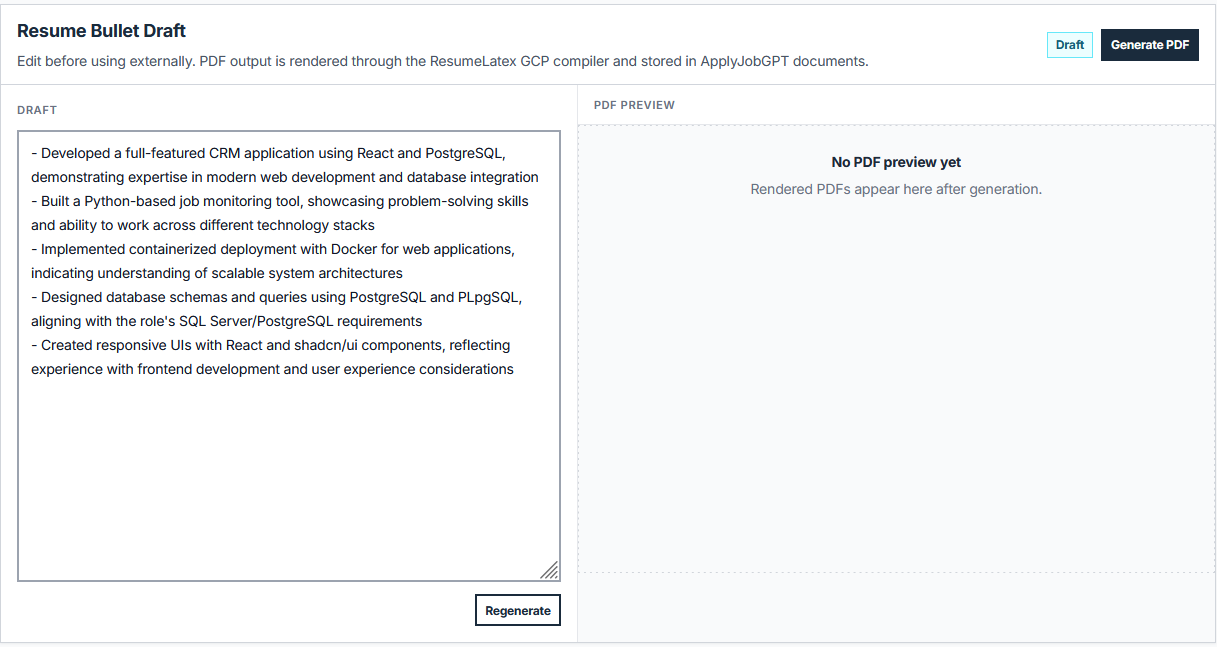
Clicking Generate resume bullets produces job-specific bullet points built from the same resume, GitHub projects, documents, and profile evidence used for the cover letter.
These bullets focus on the experiences most relevant to the specific role being targeted, which helps strengthen a resume for one application without manually rewriting every line for every job.
Export as PDF
After reviewing and editing the generated cover letter and resume bullet points, you can export the material as a PDF.
This makes the draft ready for job applications that request a cover letter file, resume file, or supporting document. The PDF export helps you move from job search to application-ready material without switching between multiple tools.
Before moving on, check this:
- The resume or cover letter uses real, verifiable experience
- The job title and company name are correct
- Keywords from the job description appear naturally, not stuffed in
- The final document sounds like a person wrote it, not a generic template
- The application has been exported and saved or tracked
Example Walkthrough
Reader: A final-year computer science student with one part-time campus job, a CRM project built for a course, and a Python automation script on GitHub.
Goal: Applying for a Software Engineer internship at a mid-size company.
Starting material: A resume listing the campus job and a single generic line under Projects reading "Built a few coding projects."
Job description focus: Backend development, Python, and experience working with APIs or structured data.
After uploading the resume, the CRM project write-up, and the GitHub repository for the automation script, a job search for Software Engineer returned a listing with a match score of 63%. Opening the job workspace and generating a cover letter produced a draft referencing the CRM project's backend logic and the automation script's use of Python and an external API, both connected directly to the listing's stated requirements.
| Before | After |
|---|---|
| "Built a few coding projects." | "Built a Python automation script that pulls data from a third-party API on a scheduled basis, and designed the backend logic for a CRM project handling structured customer records." |
| "I am a strong fit for this software engineering role." | "The role's focus on backend API work lines up directly with a recent project automating data retrieval through a third-party API in Python." |
Common Mistakes to Avoid
| Mistake | Why It Hurts | Better Approach |
|---|---|---|
| Copying the generated cover letter or bullets without review | Generated phrasing can include details that do not precisely match how the work actually happened | Read every line and confirm accuracy before exporting |
| Listing skills the evidence does not actually support | A skill tag pulled loosely from a project description does not always reflect real hands-on experience | Cross-check generated content against what was actually built or learned |
| Using the same generated draft for every job application | Different roles emphasize different parts of the same background | Generate fresh materials for each job workspace based on that specific listing |
| Ignoring the job description before generating materials | Skipping a careful read of the posting misses details the matching system is comparing against | Read the full job description in the workspace before generating a cover letter or bullets |
| Applying to jobs with very low match scores without adding more evidence first | A weak match produces thinner, less specific application materials | Add more relevant evidence, or target roles with stronger matches |
| Forgetting to track which jobs were applied to and with which version of the materials | Submitting an outdated draft or losing track of an application becomes more likely | Save or log each job and its generated materials immediately after exporting |
Where ApplyJobGPT Fits in the Workflow
ApplyJobGPT is useful here because it moves the process from scattered information, a resume in one place, GitHub repos in another, schoolwork sitting in a folder, into one workflow that checks real evidence against actual job listings before generating anything. Resume data, career details, studies, projects, and job preferences can all be added to one profile, then used to create stronger application materials and keep track of the search.
Beyond the workflow covered in this tutorial, the platform supports:
- Matching a profile against relevant job postings
- Tailoring resume content to a specific job description
- Generating cover letters from real background and project history
- Identifying missing keywords or weak sections before submitting
- Tracking jobs instead of managing a spreadsheet manually
Final Checklist Before Applying
- The resume is tailored to this specific role, not a generic version
- The cover letter mentions the specific company and role
- Every example and claim is real and accurate
- Contact details are correct and current
- The file format matches what the job posting requests
- The application has been saved or logged in a tracker
- Everything has been reviewed once more before submitting
FAQs
Can ApplyJobGPT apply to jobs automatically?
No. ApplyJobGPT helps search for jobs, check match strength, and generate a tailored cover letter and resume bullets from real evidence. Submitting the actual application remains a manual step.
Should the resume or cover letter still be reviewed after generation?
Yes. The generated draft is built from real uploaded evidence, but it is a starting point, not a finished document. Reading through each section for accuracy and tone before exporting and sending is necessary every time.
Can students with limited work experience use this workflow?
Yes. Coursework, school projects, GitHub repositories, volunteer work, and part-time jobs all count as real evidence. The matching system compares whatever evidence exists against job listings, which matters most for students who do not yet have a long formal work history.
Does this only work for one type of job or industry?
No. The Jobs tab search and match scoring adapt to whatever role is searched, whether that is software engineering, marketing, data analysis, or another field, depending on the evidence and the job description being compared.
Is a credit card required to try this?
No credit card is required for the free trial as of this writing. Checking the current pricing page before signing up is worth doing, since terms can change.
What should happen if a job's match score is low?
A low match score usually means the current evidence does not strongly support that specific role. Adding more relevant evidence, such as an updated resume, additional GitHub repositories, or stronger project documentation, before generating application materials for that job tends to produce a more specific result.
Conclusion
Turning a resume, GitHub repositories, and projects into a tailored cover letter and resume bullets comes down to two steps: adding real evidence first, then searching jobs, reviewing the match, and generating materials built from that specific listing. The value of this process comes from how specific the result is. A cover letter referencing an actual project and a resume bullet built from real commit history will consistently read stronger than generic phrasing, because the underlying evidence is real. Starting with one job description and the evidence already on hand, then working through the upload, search, and generation steps above, is the most direct way to move from a blank page to an application-ready draft.
Changelog
2026-06-18— Published